
Cancel subscription
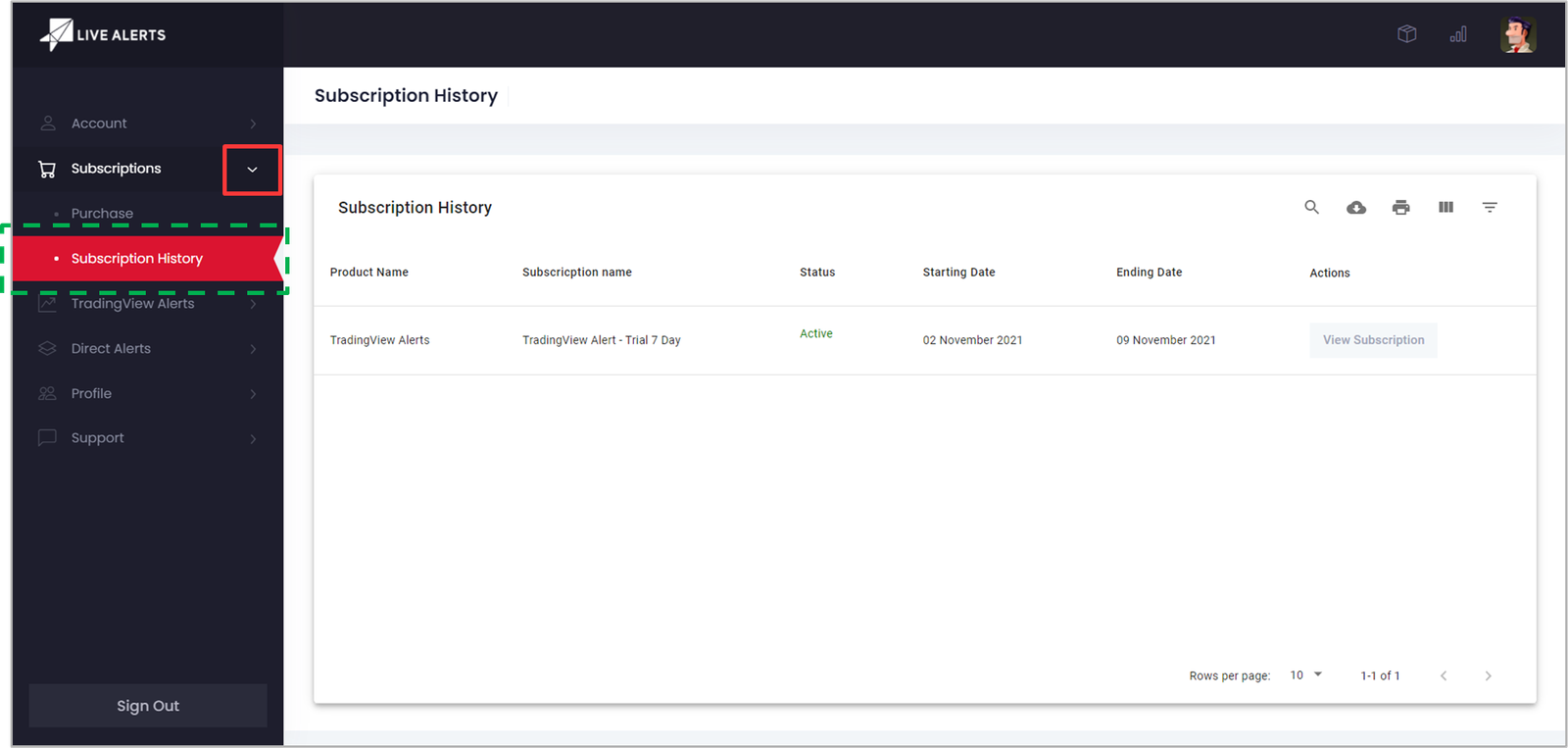
- 1. Visit the Subscription History page under Subscription menu
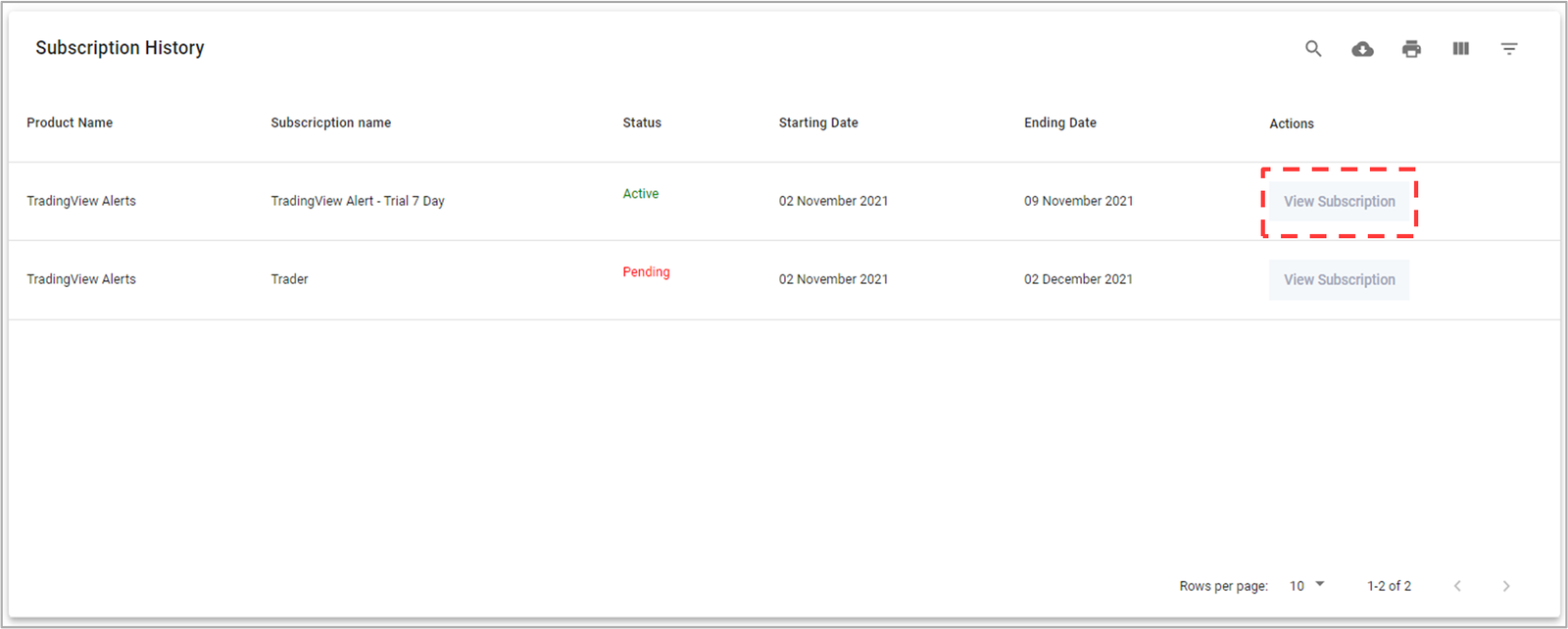
- 2. Click on View Subscription button of the current active plan under Actions column. You will be redirected to View Subscription page.
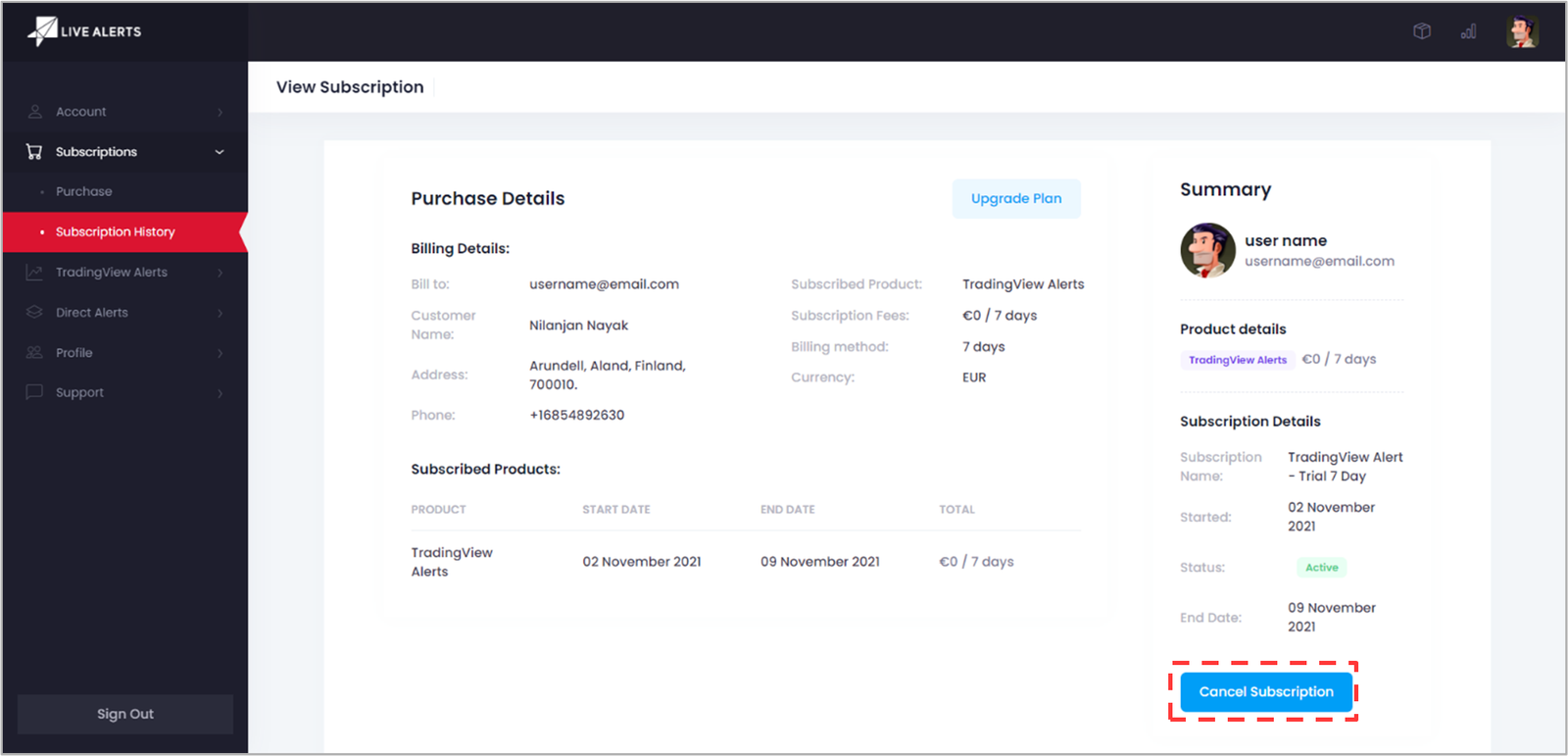
- 3. At the bottom-right of the View Subscription page, click on the Cancel Subscription button.
- NOTE: You can also find Cancel Subscription option in the Account > Billing page.
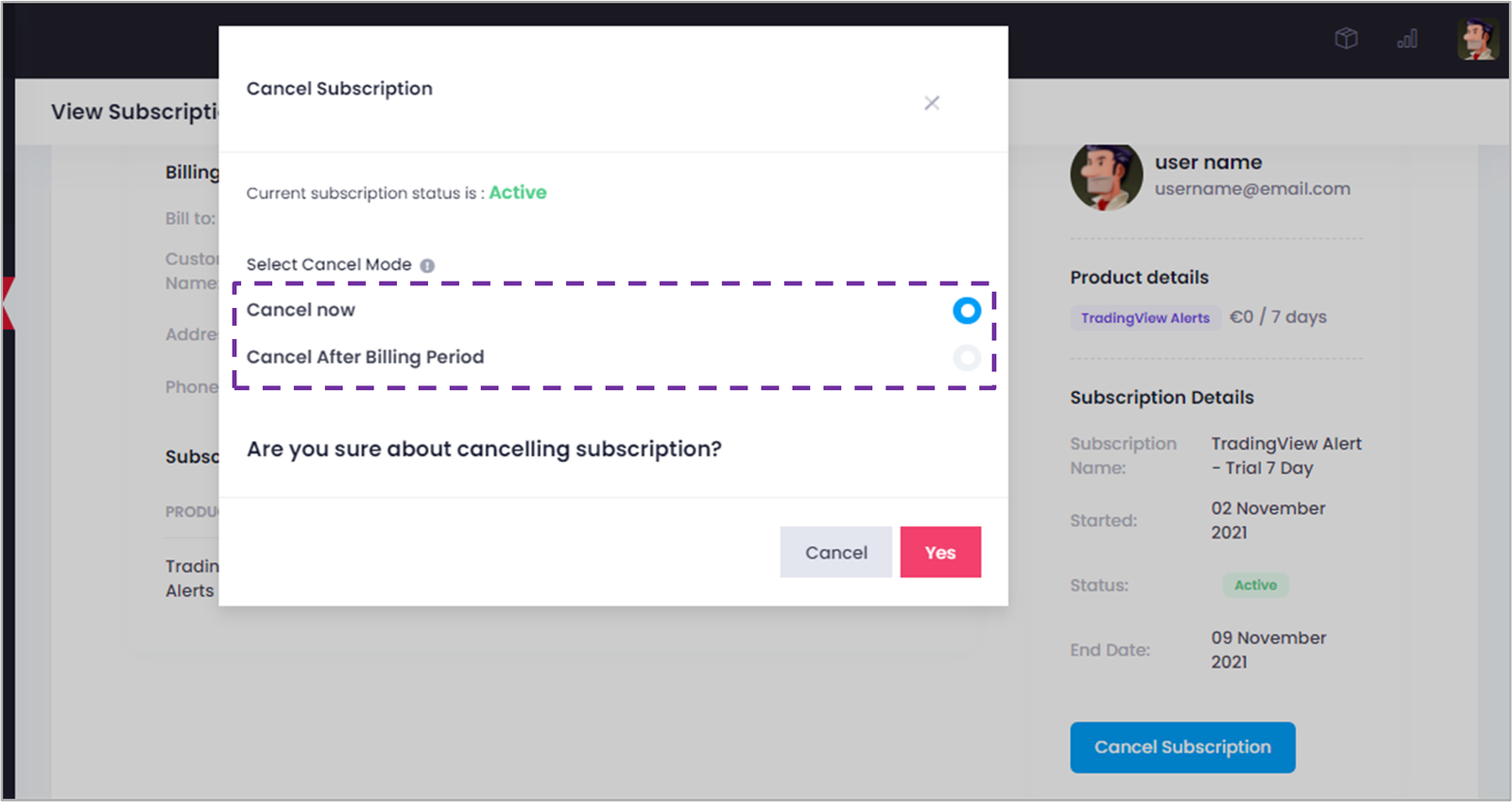
- 4. Select when you want to cancel your subscription and click on the Yes button. Your plan will be canceled accordingly.
Related Topics