
Get custom cryptocurrency price alerts on Telegram/Email/Slack/Discord account
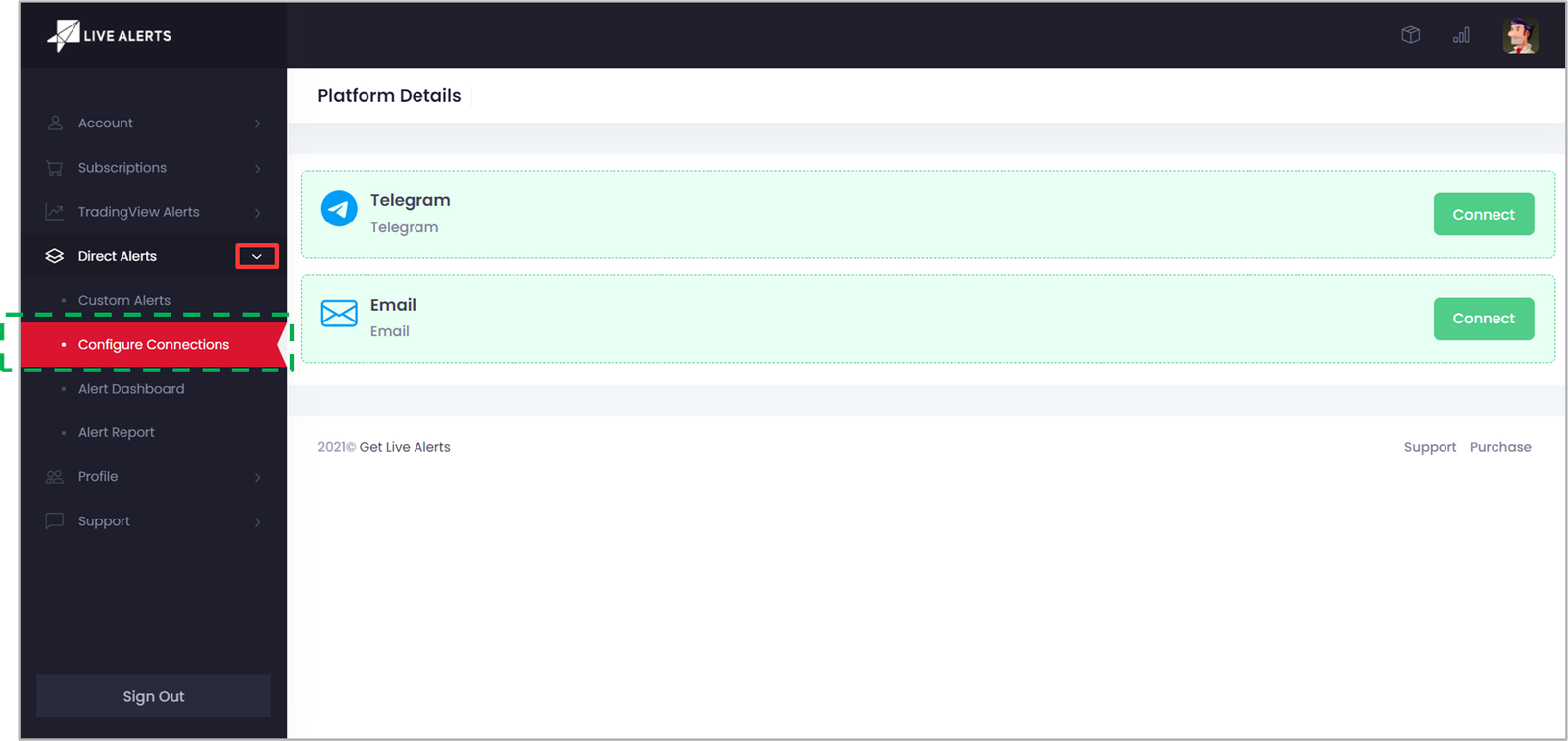
- 1. Visit the Configure Connections page under Direct Alerts menu
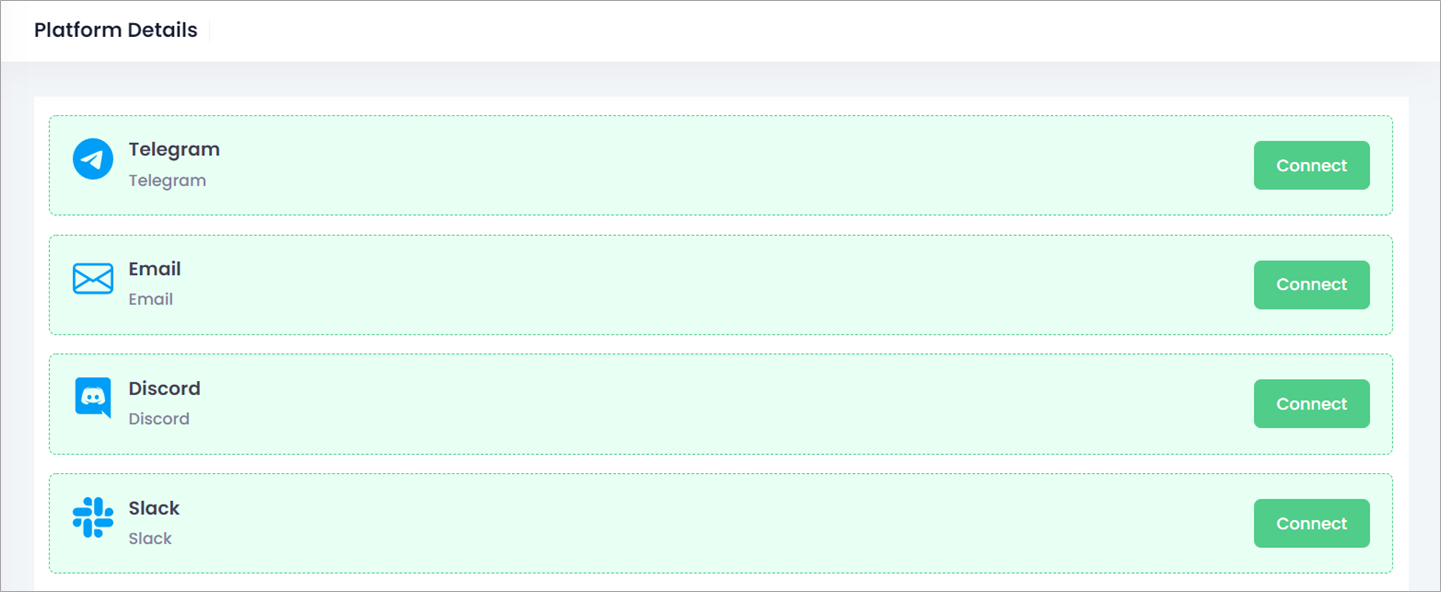
- 3. Click on Connect button to configure Telegram/Email/Discord/Slack.
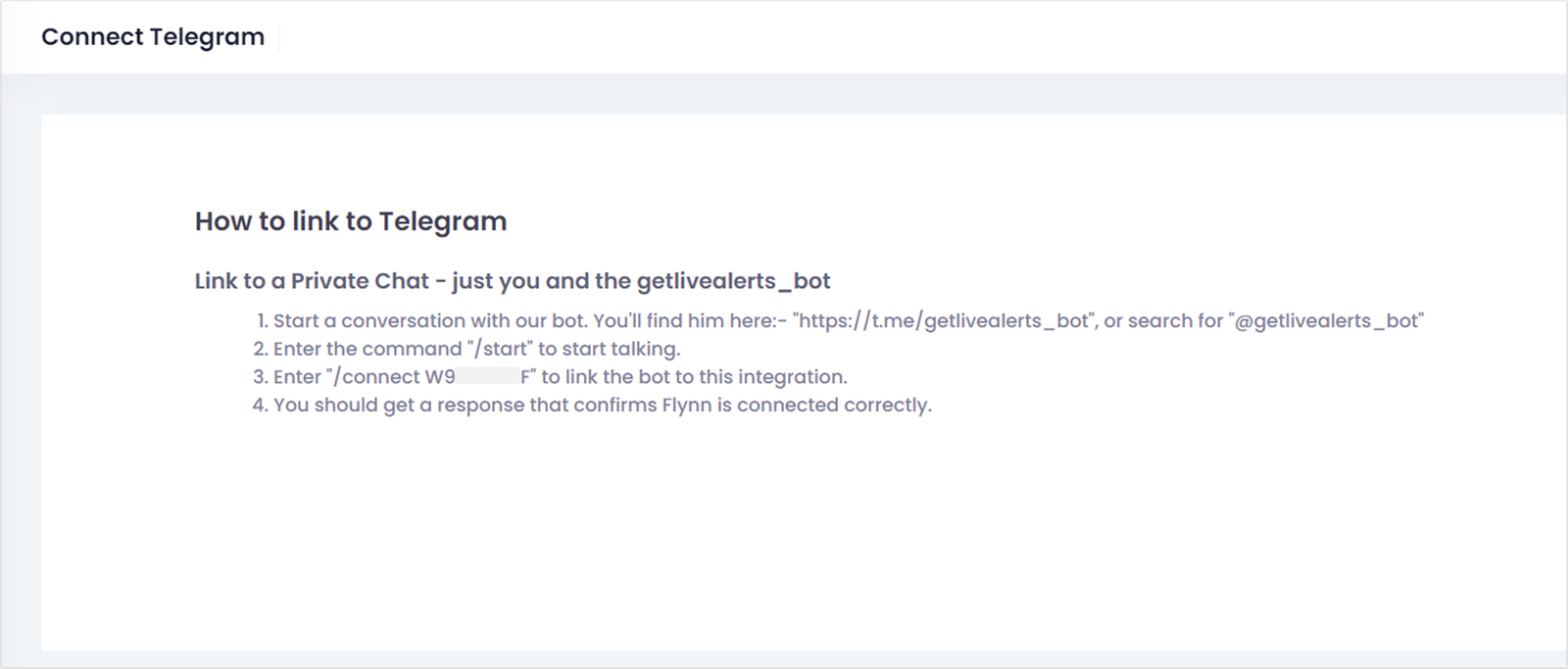
- • Open Telegram on your device and follow the instruction to link your Telegram account.
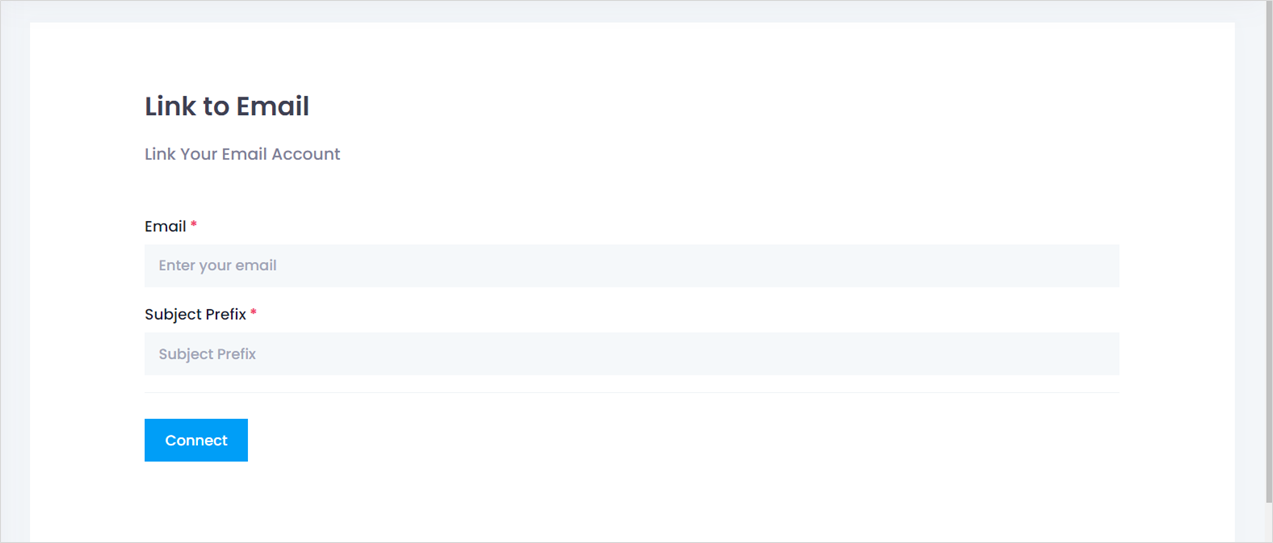
- • Enter your Email and Subject Prefix for every custom alerts. Click on Connect to enable email crypto price alerts.
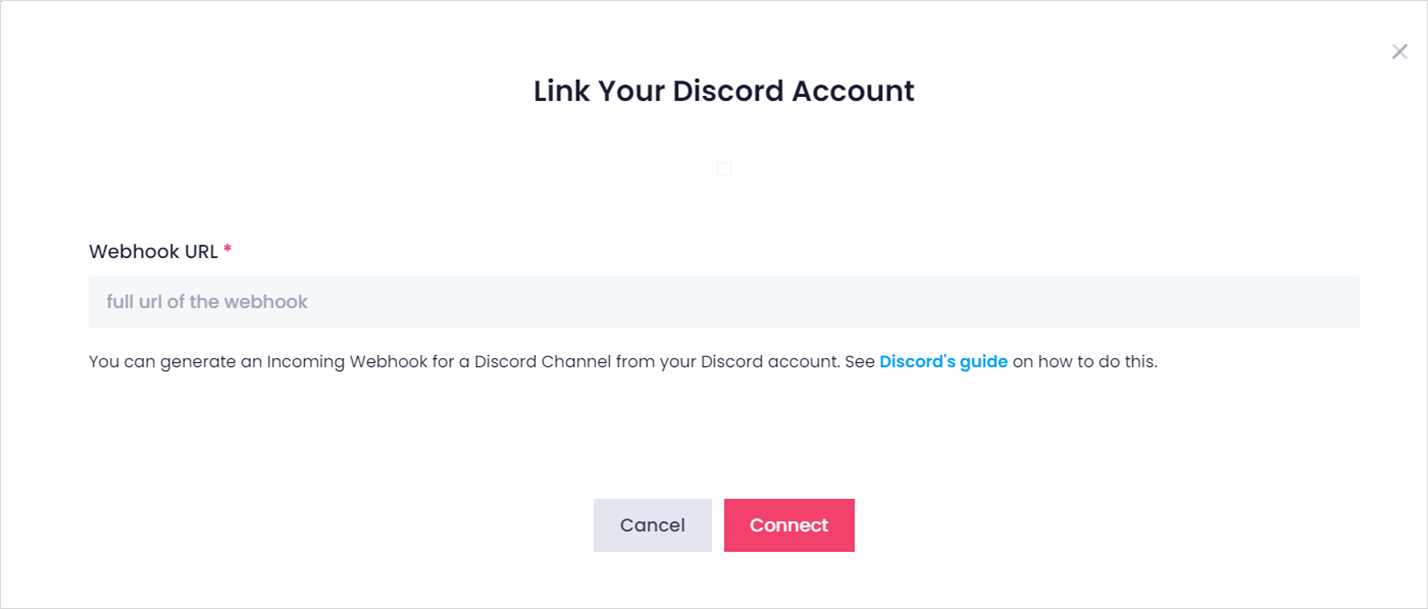
- • Enter full URL of your Discord incoming webhook. Click on Connect to enable custom Discord channel crypto price alerts.
- NOTE: See Discord’s guide on how to generate incoming webhooks for a Discord Channel from your account.
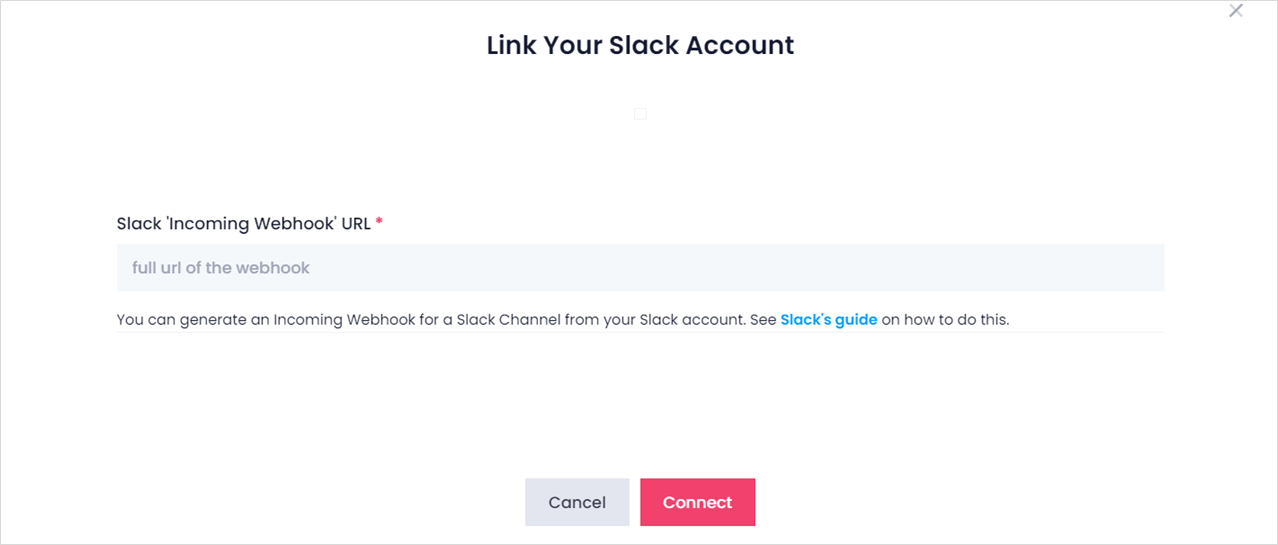
- • Enter full URL of your Slack incoming webhook. Click on Connect to enable custom Slack channel crypto price alerts.
- NOTE: See Slack’s guide on how to generate incoming webhooks for a Slack Channel from your account.
Related Topics