
Update password
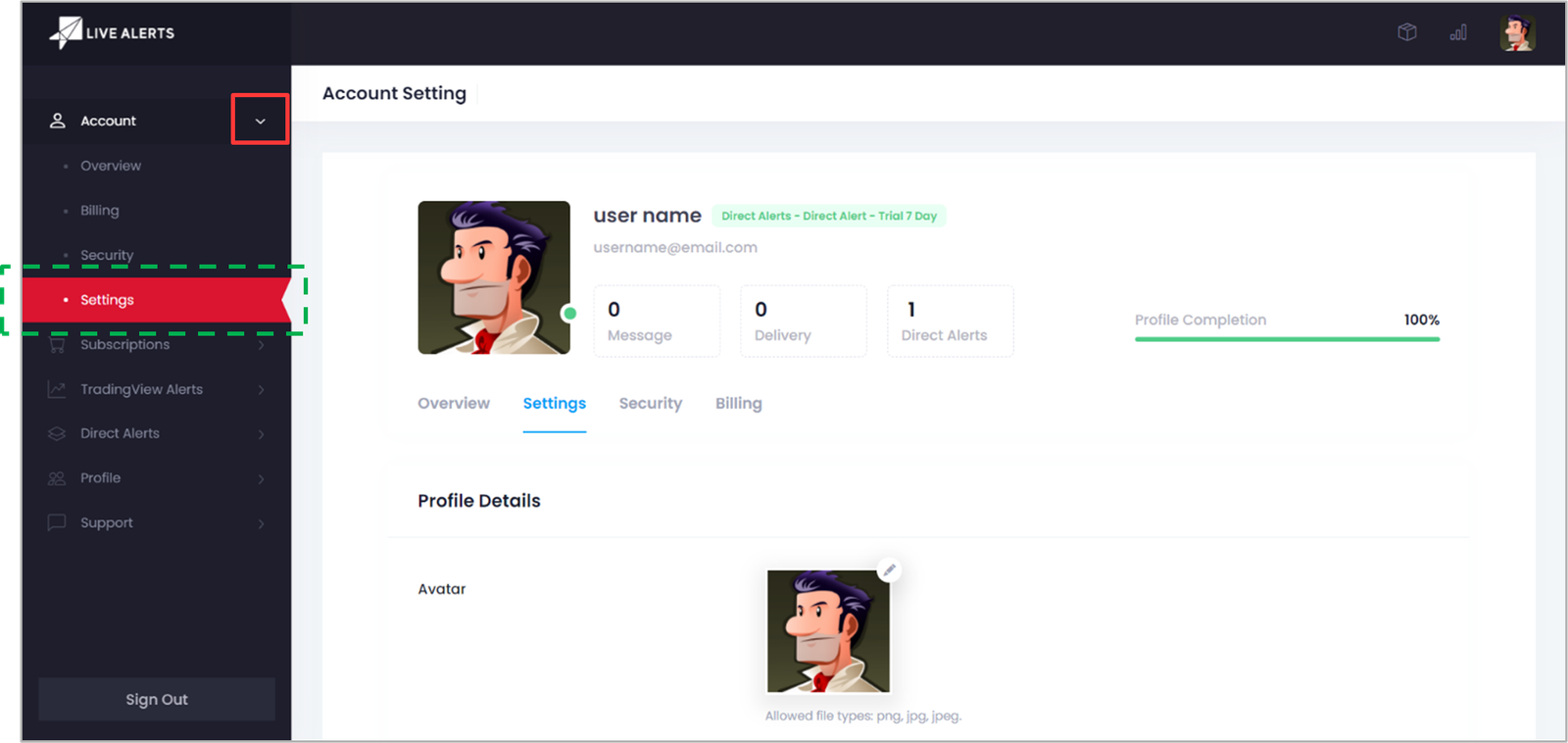
- 1. Visit the Settings page under Account menu
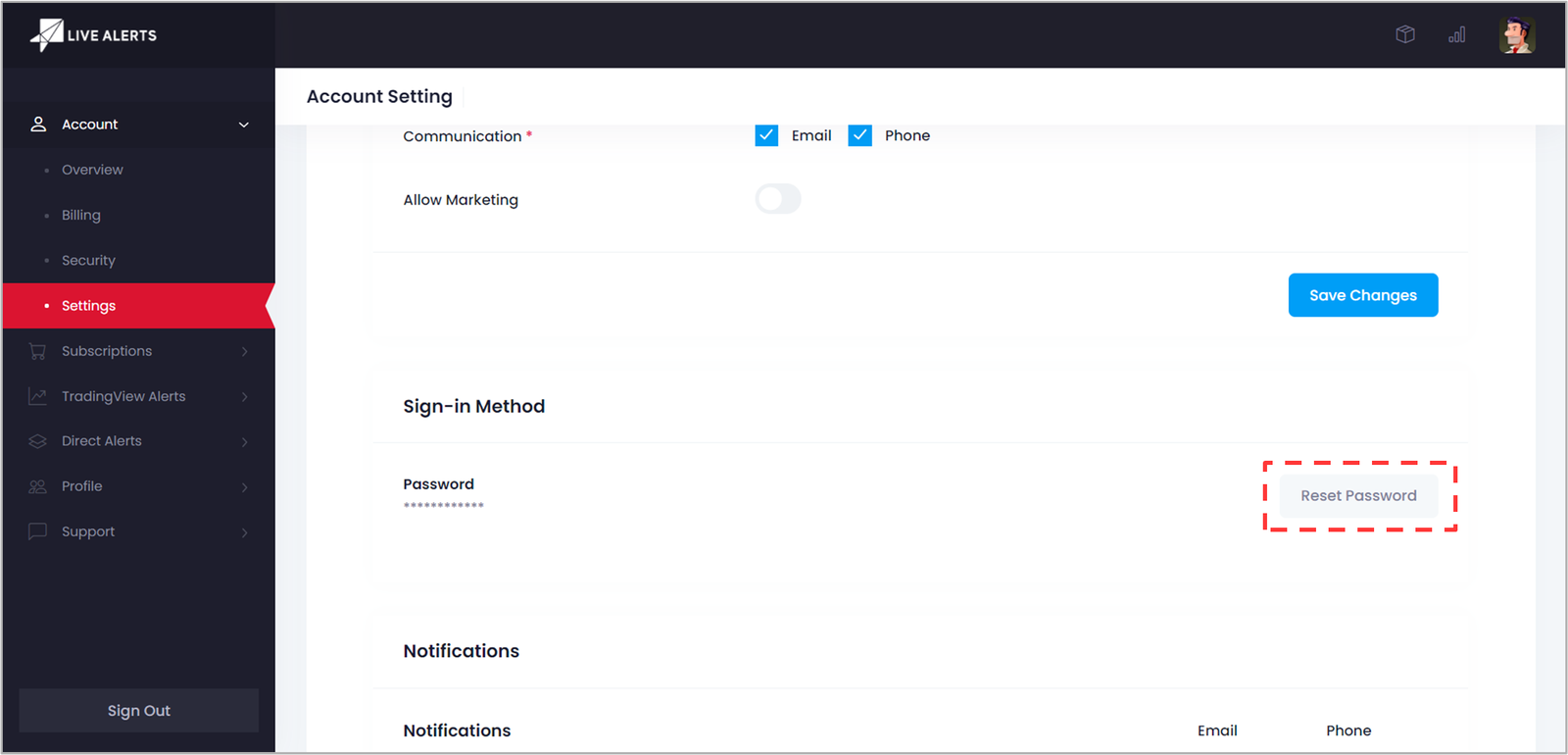
- 2. Under Sign-in Method click on Reset Password Button.
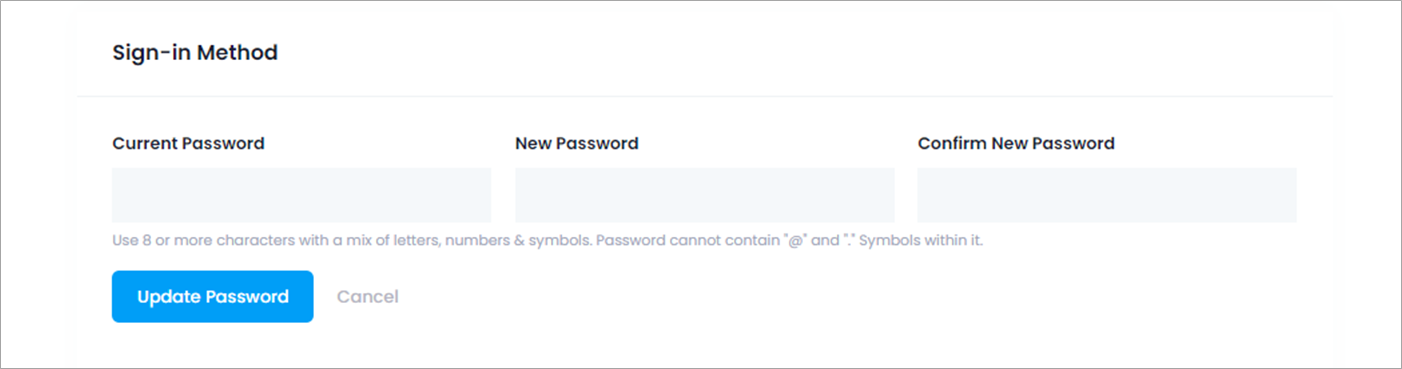
- 3. Fill out your Current Password, New Password & Confirm New Password. Click on the Update Password Button.
Related Topics